What Is the Best Type of Computer Desk?
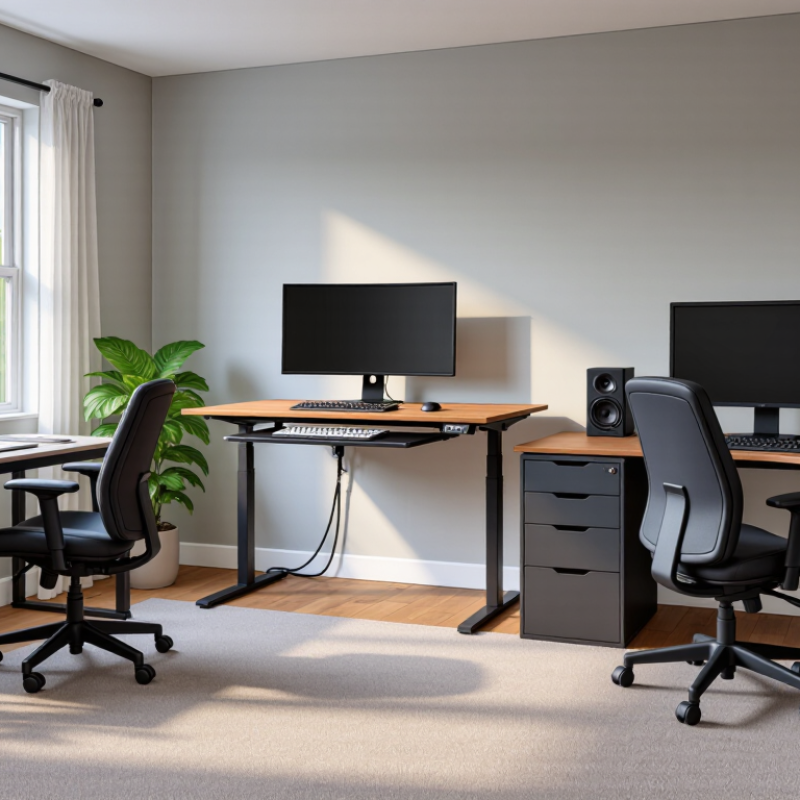
Choosing the best type of Computer Desks is not about finding the largest surface or the most expensive finish. It is about matching the desk to your body, equipment, room, and working habits. A compact writing desk may suit a laptop user, while a sturdy L-shaped desk can support dual monitors, speakers, and paperwork. Standing desks offer movement, but they do not automatically solve poor posture.
Jon Cinkay, a physical therapist and ergonomics coordinator at Hospital for Special Surgery, advises, “The key is to make sure your workstation fits you, not the other way around.” That principle should guide every purchase. Your elbows should rest near a 90-degree angle. The monitor should sit close to eye level. A deep desktop can prevent cramped viewing distances, yet it may waste space in a small bedroom.
Details matter. Check the desk’s height range, weight capacity, cable openings, and legroom. A keyboard tray can improve positioning, but some trays feel unstable. A sit-stand frame can encourage movement, although standing all day is not ideal either. Small drawers may look convenient. They often become clutter traps.
There is no perfect desk for everyone. That is the uncomfortable part. Even an ergonomic design can fail when the chair, monitor, or lighting is wrong. The best Computer Desks are adaptable, stable, and realistic for your daily routine. Before buying, measure your room, list your devices, and imagine a normal workday at the desk. Your habits may reveal more than a product description.
What Defines a Good Computer Desk?
A good computer desk is defined by fit, stability, and daily usability, not decoration. In 2023, the U.S. Bureau of Labor Statistics reported that 22.9% of employed people worked from home on workdays. That figure shows why one desk must support different spaces and routines.
Start with height and depth. A desk should let your elbows rest near 90 degrees while your feet stay flat. OSHA’s Computer Workstations eTool recommends placing the monitor roughly an arm’s length away, with its top near eye level. A depth of 60 to 75 centimeters usually leaves room for a keyboard, notebook, and small lamp. Too shallow feels cramped. Too deep encourages leaning forward. I have made that mistake.
Stability matters more than a polished surface. The frame should not wobble when you type quickly, and the desktop should resist sagging under a monitor, computer, and speakers. ANSI/HFES 100-2007 emphasizes adjustable workstation dimensions for different users. That makes adjustability valuable, especially in shared rooms. Cable openings also help, but large holes can collect dust. My own setup still has one messy cable. A good desk should support movement, clear sightlines, and comfortable posture without demanding constant correction.
What Is the Best Type of Computer Desk? - What Defines a Good Computer Desk?
The specifications shown are typical ranges for commonly available computer desks. Actual capacity and dimensions may vary by construction and materials.
| Desk Type |
Typical Width |
Typical Depth |
Typical Load Capacity |
Best For |
Main Advantages |
Potential Limitations |
Overall Suitability |
| Standard Rectangular Desk |
120–160 cm |
60–80 cm |
50–100 kg |
General home and office computing |
Simple layout, flexible placement, and enough space for a monitor, keyboard, and everyday accessories |
May provide limited room for multiple monitors or large peripherals |
★★★★★ |
| L-Shaped Desk |
140–200 cm per side |
50–80 cm per side |
60–120 kg |
Multitasking, dual-monitor setups, and corner spaces |
Uses corner areas efficiently and separates work, study, or gaming zones |
Requires more floor space and is less convenient to relocate |
★★★★★ |
| Standing Desk |
120–180 cm |
60–80 cm |
70–120 kg |
Users who want to alternate between sitting and standing |
Adjustable height supports posture changes and allows a more flexible working position |
Usually costs more and may require careful cable management |
★★★★★ |
| Writing Desk |
90–140 cm |
45–65 cm |
30–70 kg |
Laptops, compact work areas, and small rooms |
Minimal footprint, clean appearance, and easy installation |
Limited depth for large monitors, speakers, or extensive accessories |
★★★★☆ |
| Computer Workstation with Hutch |
100–160 cm |
55–75 cm |
40–90 kg |
Users who need integrated storage |
Combines a work surface with shelves or cabinets for books, equipment, and documents |
Heavier appearance, reduced flexibility, and a greater risk of visual clutter |
★★★★☆ |
| Corner Desk |
100–150 cm per side |
45–75 cm per side |
40–90 kg |
Small rooms with unused corners |
Maximizes corner space while offering more surface area than a narrow writing desk |
Some shapes may restrict seating position and monitor placement |
★★★★☆ |
| Gaming-Style Desk |
120–180 cm |
60–80 cm |
50–100 kg |
Gaming systems, multiple displays, and large accessories |
Usually offers generous surface space, monitor support options, and cable-management features |
Design may prioritize appearance over storage or ergonomic adjustability |
★★★★☆ |
| Compact Folding Desk |
80–120 cm |
40–60 cm |
20–50 kg |
Temporary workstations and very small living spaces |
Lightweight, easy to store, and convenient for occasional use |
Lower stability and capacity make it less suitable for heavy equipment |
★★★☆☆ |
How Different Desk Types Meet Different Needs
What Is the Best Type of Computer Desk? The answer depends on how you work, move, and store equipment. The 2024 American Time Use Survey from the U.S. Bureau of Labor Statistics found that employed Americans worked 7.7 hours on an average workday. That duration makes desk fit more important than appearance.
A compact writing desk suits laptops, small rooms, and occasional home use. Choose one with at least 24 inches of depth, leaving space for a keyboard and forearms.
A large workstation supports multiple monitors, documents, and creative tools. Cable openings matter here. Without them, dust and tangled wires quickly become annoying.
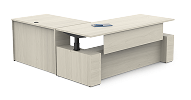
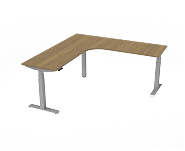
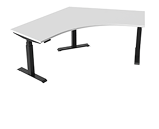
A corner desk can recover unused floor space, but its rear surfaces may become difficult to reach.
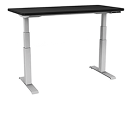
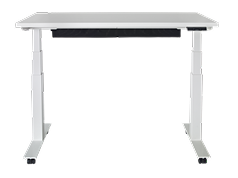
Standing desks help users change posture during long sessions. However, they do not automatically solve poor ergonomics. The Occupational Safety and Health Administration advises keeping the monitor near eye level and elbows close to a right angle. An adjustable desk supports those positions more easily than a fixed model.
I once raised a desk too high and created shoulder tension within days. That mistake was simple, but costly in comfort.
A 2024 workplace survey by a leading ergonomics research group also found that workers value control over their work setting, not one universal layout. Assess your chair height, monitor count, room width, and daily habits before choosing. Needs change. Desk shopping should allow for that.
Key Factors for Choosing the Right Computer Desk
What Is the Best Type of Computer Desk?
Key Factors for Choosing the Right Computer Desk
The best computer desk depends on your work habits, room size, and daily equipment. A writer may need a compact surface, while a designer needs space for two monitors. Measure the available area before shopping. Leave enough room to move your chair comfortably. A desk around 70 to 75 centimeters high suits many adults, but adjustable height can support different users. Your elbows should rest near a right angle when typing. Small details matter.
Stability is equally important. A desk should not shake when you write, adjust a monitor, or place a heavy computer tower underneath. Check the frame, tabletop thickness, and stated weight capacity. Cable openings can prevent wires from falling behind the desk. I once chose a beautiful desk with poor legroom. It looked efficient, but long sessions became uncomfortable. That mistake changed how I judge furniture.
Tips: Keep the monitor about an arm’s length away. Place frequently used items within easy reach. Choose a matte surface if bright lights reflect easily. Test the chair and desk together when possible. Consider cleaning, assembly, and future equipment before deciding. A smaller desk can work well, though limited space may become frustrating later.
How to Evaluate Comfort, Durability, and Value
What Is the Best Type of Computer Desk?
How to Evaluate Comfort, Durability, and Value
Choosing the best computer desk starts with your body, not the photograph. After testing desks at home and in shared offices, I measure comfort through posture, reach, and movement. A desktop around 28 to 30 inches high suits many seated users, but chair height changes everything. Your elbows should rest near a right angle, with wrists flat and relaxed. Leave enough depth for the monitor, keyboard, and forearms. A narrow surface looks neat. It can create shoulder tension.
Durability requires evidence beyond thick-looking panels. Check the frame joints, fasteners, edge banding, and stated weight capacity. Steel legs may resist wobbling, while a sealed wood surface handles daily spills better than unfinished material. Press each corner gently; excessive movement can reveal weak connections. Cable openings should have smooth edges, not sharp cutouts that damage cords. I once chose a beautiful desk with poor leveling feet. It rocked whenever I typed. That mistake still influences my recommendations.
Value means useful years, not the lowest receipt total. Compare repairability, adjustability, delivery damage protection, and included hardware. A replaceable leg or simple fastener can extend service life. Consider your room, too. A desk blocking drawers or heating vents creates daily frustration. Measure doorways before ordering; this small step prevents a surprisingly common problem. I would accept a minor scratch for stronger construction, but not unstable support. Personal priorities differ, and my ideal desk remains a compromise.
What Is the Best Type of Computer Desk?
A practical comparison of common desk types using representative desktop depth, height-adjustment range, and load capacity. Greater adjustability can improve comfort, while adequate depth and load capacity support durability and everyday value.
Fixed desks are simple and often economical. Sit-stand desks provide the widest height range and allow users to alternate between sitting and standing, but their mechanisms can increase cost and maintenance requirements.