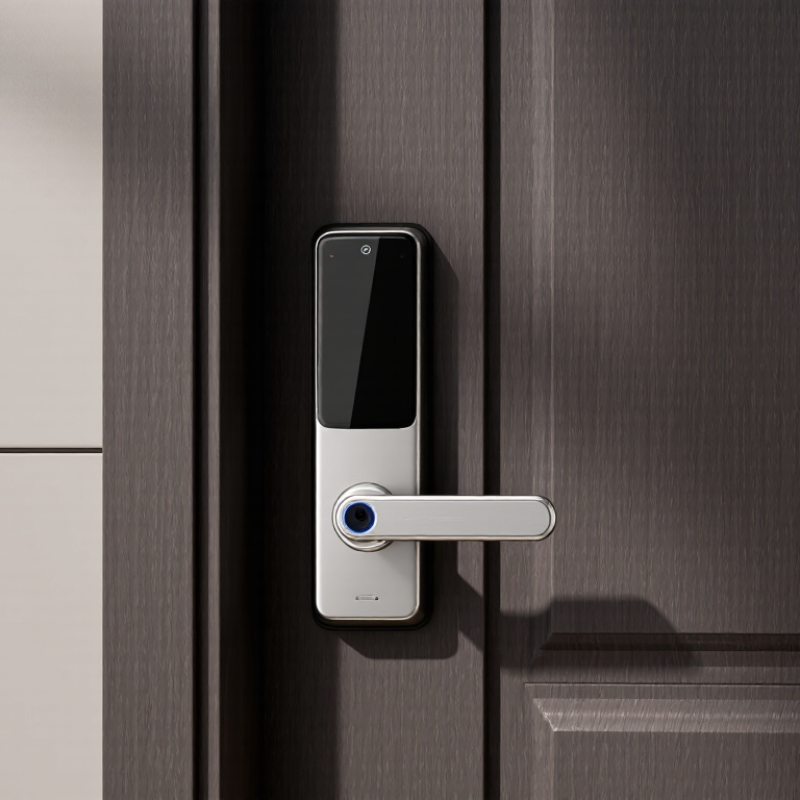
| Definition | A smart door lock with handle combines an electronic locking mechanism with an integrated lever or knob. It can replace a conventional lockset and may support keyless entry, remote control, and access management. | Lock + Handle in One Unit | The integrated design can simplify installation and provide a consistent appearance. | Confirm whether the product replaces the complete lockset or only the interior or exterior part of an existing lock. |
| Door Compatibility | Compatibility depends on door thickness, backset, edge bore, faceplate dimensions, handing, and the existing latch or mortise configuration. | Common residential door thicknesses are approximately 35–45 mm. Common backsets include 60 mm and 70 mm, but measurements vary by region and lock type. | A lock with the wrong dimensions may not fit securely or may require additional door modification. | Measure the door thickness, backset, bore diameter, edge preparation, and distance from the lock edge to nearby trim. |
| Handle Style | The handle may be a lever handle, pull-down lever, or knob. Lever handles are generally easier to operate than round knobs. | LeverKnobReversible Handle | Handle shape affects accessibility, appearance, door handing, and ease of use when hands are full. | Check left/right handing, handle clearance, return-to-door position, and whether the handle is reversible during installation. |
| Unlocking Methods | Smart locks can support one or more electronic and mechanical entry methods. | PIN CodeFingerprintMobile AppKeyKey Card | Multiple methods provide convenience while preserving backup access if one method is unavailable. | Verify the number of stored users, temporary-code support, fingerprint capacity, mechanical key override, and offline access behavior. |
| Connectivity | The lock may communicate directly with a phone or connect to a home network or smart-home hub. | BluetoothWi-FiZigbeeZ-WaveMatter | Connectivity determines remote access, notifications, battery consumption, and smart-home compatibility. | Check whether a separate bridge or hub is required and whether the chosen protocol works with the intended smart-home system. |
| Remote Operation | Remote locking, unlocking, activity notifications, and user management usually require an internet-connected gateway or built-in Wi-Fi. | Use remote features only when the lock, gateway, phone application, and home network are compatible. | Remote functions are useful for family members, guests, deliveries, and rental-property access. | Check whether remote unlocking can be disabled, whether notifications are configurable, and how access works during an internet outage. |
| Power Source | Most smart locks use replaceable batteries, while a smaller number use rechargeable batteries or wired power. | Common options include alkaline or lithium primary cells and rechargeable battery packs. Actual battery life depends on usage, radio type, temperature, and door alignment. | Reliable power is essential because a depleted battery can prevent electronic entry. | Look for a low-battery warning, exterior emergency power contact, accessible battery compartment, and a physical key or other backup method. |
| Mechanical Security | Electronic features do not replace the need for a strong latch, deadbolt or mortise case, strike plate, screws, and correctly aligned door hardware. | Prefer products with documented residential or commercial lock testing, reinforced mounting hardware, and a robust metal locking mechanism. | Forced-entry resistance depends heavily on the complete door assembly rather than the electronic module alone. | Review applicable test certifications, bolt throw, strike reinforcement, mounting screws, and compatibility with the existing frame. |
| ANSI/BHMA Grade | Where applicable, ANSI/BHMA grading indicates performance and durability testing for certain lock hardware categories. | Grade 1 Higher commercial-duty performance
Grade 2 General residential and light commercial use
Grade 3 Basic residential use | A grade can help compare tested durability and security performance, but it does not describe every electronic or cybersecurity feature. | Confirm that the grade applies to the complete lockset and that the certification is relevant to the product configuration. |
| Weather Resistance | Exterior locks are exposed to rain, dust, humidity, temperature changes, and direct sunlight. | For exposed entrances, choose a product with a clearly stated environmental or ingress-protection rating suitable for the installation location. | Weather exposure can affect sensors, batteries, electronics, and surface finishes. | Check the stated operating temperature, water and dust resistance, outdoor installation instructions, and whether the keypad is protected from direct exposure. |
| Handle and Latch Operation | The handle should retract the latch smoothly, while the electronic mechanism should control locking without binding. | A properly aligned door should open and close smoothly without excessive force or lifting. | Misalignment increases motor load, noise, battery consumption, and the risk of lockout. | Test the door with the door closed and open. Confirm that the latch enters the strike cleanly and that the handle does not rub the frame. |
| Access Management | Access management controls who can enter and when. Features may include permanent users, temporary codes, scheduled access, and activity logs. | Permanent AccessTemporary CodesSchedulesAudit Log | These controls are useful for homes, offices, guest rooms, service providers, and rental properties. | Check the maximum number of users, code expiration rules, log retention, administrator permissions, and deletion process for former users. |
| Privacy and Cybersecurity | Connected locks process authentication data and may transmit activity information through a mobile application or cloud service. | Prefer encrypted communication, secure account authentication, regular firmware updates, and clear data-retention controls. | Good cybersecurity reduces the risk of unauthorized account access or misuse of entry records. | Look for multi-factor authentication, encrypted communications, update support, account recovery controls, and a way to remove access remotely. |
| Installation | Installation difficulty depends on whether the lock replaces a standard cylindrical lockset, a mortise lock, or a non-standard fitting. | DIY installation is more practical when the new lock matches the existing door preparation and includes clear templates and hardware. | Incorrect installation can reduce security, damage the door, or cause unreliable locking. | Check the installation guide before purchase and determine whether drilling, a new strike, wiring, or professional installation is required. |
| Emergency Access | Emergency access is the method used when batteries are depleted, a phone is unavailable, or connectivity fails. | Mechanical KeyExternal Battery ContactBackup PIN | A backup method helps prevent lockouts and is especially important for exterior doors and emergency exits. | Confirm that the backup method is accessible from outside, does not expose sensitive information, and can be tested after installation. |
| Best Use Case | The most suitable lock depends on the property, users, door location, and required level of control. | HomesApartmentsHome OfficesGuest RoomsRental Properties | A simple Bluetooth lock may suit a private home, while scheduled codes and remote management may be more useful for shared or rental spaces. | Define the required users, entry methods, remote functions, weather exposure, installation limits, and backup-access plan before selecting a model. |