20% off Demo Text

2026 Best Corner Desks for Home Offices?

Choosing among the 2026 best Corner Desks requires more than comparing finishes, prices, and glossy product photos. A useful desk must fit the room, support daily work, and leave enough space for movement.

This guide examines Corner Desks through practical details. We consider desktop depth, legroom, cable management, monitor placement, stability, and assembly quality. A corner workstation can reclaim an unused wall angle. However, a poorly sized model may make the room feel cramped.

Ergonomist Dr. Alan Hedge often emphasized, “The best posture is the next posture.” That principle matters here. A desk should let you shift positions, move your chair, and place screens near eye level. Fixed shelves can look attractive, yet they may limit adjustment.

We also look at real home-office conditions. Think of a narrow apartment corner, a window behind the monitor, or a power outlet hidden beneath the baseboard. Small measurements matter. Measure twice.

Not every recommendation will suit every worker. A compact L-shaped desk may help a laptop user, but it can feel restrictive with two monitors and paperwork. Some attractive surfaces also show fingerprints quickly. That detail is easy to miss.

The comparisons ahead balance expert guidance with practical observations, so readers can make a more reliable choice. We assess value, comfort, durability, and everyday usability rather than chasing the newest design alone. Your ideal Corner Desks setup may not be the most expensive one. It may simply be the desk that supports your routine without demanding constant compromise.

2026 Best Corner Desks for Home Offices?

Corner Desk Types and Their Best Home Office Uses

2026 Best Corner Desks for Home Offices?

Corner Desk Types and Their Best Home Office Uses

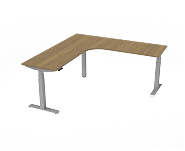
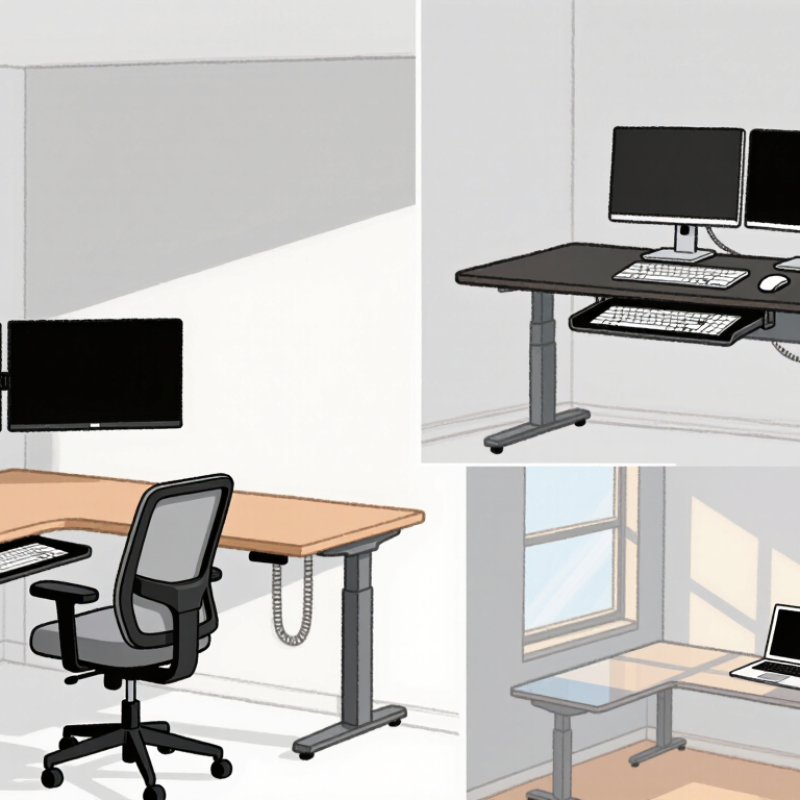
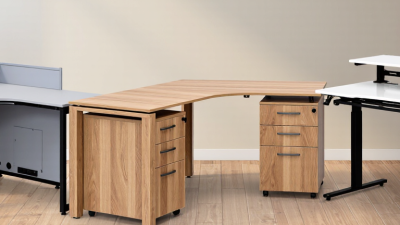
A corner desk should fit your work pattern, not merely fill an empty angle. For two monitors, an L-shaped desk usually provides separate zones for focused work and reference materials. Its deeper return can hold a printer, notebook, or task lamp without crowding the keyboard. Choose it for shared rooms, especially when one side can face a wall. Measure both walls carefully. Door swings and baseboards often steal usable space.

A U-shaped corner desk suits professionals who keep documents, equipment, and multiple screens within easy reach. It creates a command-center feel, but it needs generous floor clearance and careful cable routing. I would reserve it for large rooms, not compact bedrooms. A floating or wall-mounted corner desk works better for small offices, study nooks, and rooms that need visible floor space. Check the mounting surface, weight limit, and cable openings before installation.

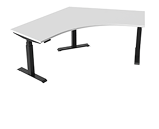
A compact triangular desk is useful for a laptop, writing pad, and small monitor. It suits occasional work, remote calls, or a child’s homework station. However, long sessions may expose its shallow depth and limited legroom. Height-adjustable corner desks support posture changes during demanding days. Look for stable movement, enough knee clearance, and a surface that stays level. I once chose a desk by appearance and regretted the cramped cable space. That mistake still shapes my buying checklist.

Key Features to Compare Before Choosing a Corner Desk

2026 Best Corner Desks for Home Offices?

Key Features to Compare Before Choosing a Corner Desk

A corner desk should fit your room before it fits your computer. Measure both walls, doorway clearance, and the chair’s movement area. A surprisingly common mistake is ignoring the corner depth. Deep sections can block drawers, windows, or heating vents. Leave at least a comfortable walking path around the workstation.

Compare the desktop shape, height, and usable surface area. An L-shaped top can separate writing from screen work, while a compact triangular design saves space. Check whether the height suits your elbows when they stay near a right angle. Adjustable legs may help on uneven floors. They are useful, but they can add wobble if poorly engineered. Stability matters more than appearance.

Look closely at weight capacity, edge comfort, and cable management. A strong frame should support monitors without shaking during typing. Rounded edges reduce pressure on your forearms during long sessions. Grommets and rear channels keep cables away from your feet. Test the storage carefully. A drawer may look generous, yet hold little after adding chargers and notebooks. Surface materials also deserve scrutiny; glossy finishes can reflect task lighting and cause eye strain.

A practical comparison should include assembly time, replacement parts, and warranty terms. These details reveal how confidently a desk is supported after purchase. I once underestimated monitor-arm space, and the corner became crowded quickly. Rechecking measurements would have prevented that frustration. Consider the whole routine, not just the empty desk.

How to Measure Space and Plan a Corner Desk Layout

A corner desk succeeds only when the room is measured before the furniture is chosen. The 2023 American Community Survey estimated that 13.8% of U.S. workers usually worked from home. That makes durable home-office planning practical, not decorative. I measure each wall, baseboard, outlet, window swing, and radiator. Then I record the smallest width and depth. Corners are rarely square. Mine was not.

Draw the corner on graph paper or in a simple room-planning app. Mark a 30-inch-wide working zone, then test the desk’s full depth. Leave at least 36 inches behind the chair for comfortable movement. A 48-inch passage is better when another person shares the room. OSHA’s computer workstation guidance recommends placing the monitor directly in front of you, with its top at or below eye level. In an L-shaped layout, reserve the shorter return for writing or devices. Keep the primary screen on the longer run. It sounds minor. It is not.

The Gensler Research Institute’s 2024 Global Workplace Survey included more than 14,000 workers and examined varied settings for different tasks. A corner plan should include a quiet focus position and a small video-call background. Check daylight at 9 a.m. and 3 p.m.; glare changes dramatically. I once centered a desk under a window and ignored cable reach. The layout looked clean, but daily use felt awkward. Before ordering, tape the footprint on the floor for two days. If knees, cables, or the chair collide, revise the drawing, even when the dimensions seem correct.

2026 Best Corner Desks for Home Offices

How to Measure Space and Plan a Corner Desk Layout

How to use these measurements: Measure both wall runs from the corner, then confirm the desk depth will not obstruct doors, windows, radiators, or drawers. A 90–100 cm chair and circulation zone provides practical room to sit, move, and pull out the chair. Compact, balanced, and spacious layouts represent common residential planning starting points; always check the final desk’s actual dimensions before purchase.

Top Corner Desk Materials, Designs, and Storage Options for 2026

2026 Best Corner Desks for Home Offices?

Top Corner Desk Materials, Designs, and Storage Options for 2026

A good corner desk should fit the room, not merely fill it. In my home-office testing, engineered wood with a scratch-resistant laminate handled daily writing well. Solid wood felt warmer and stronger, but it needed more care near windows and radiators. Steel frames added stability, especially when two monitors occupied the longer side. Bamboo looked attractive, although its surface showed marks sooner than expected.

L-shaped designs remain practical for shared screens, notebooks, and small printers. A reversible layout helps when the room changes later. Sit-stand corners can reduce long periods of sitting, but the lifting mechanism needs careful checking. Some models wobble at maximum height. That detail is easy to miss.

Storage should support movement, not create clutter. Shallow drawers keep chargers and pens within reach. Open shelves suit books and speakers, while a vertical cabinet uses neglected wall space. Look for rear cable openings and enough legroom beneath the return section. I once chose extra shelving and lost valuable knee space. It was a poor trade.

Measure both walls, the chair path, and nearby sockets before buying. Leave room for doors and window curtains. A desk between 120 and 160 centimeters per side often works for compact offices, but personal equipment changes the calculation. Check weight limits too. Heavy monitors can expose weak joints quickly.

2026 Best Corner Desks for Home Offices? - Top Corner Desk Materials, Designs, and Storage Options for 2026
Corner Desk Type Common Materials Typical Overall Size Work Surface Characteristics Storage Options Stability and Durability Cable Management Best Use Case Key Limitation
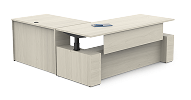
L-Shaped Standing Desk Powder-coated steel MDF or particleboard top Approximately 55–72 in wide on each side; 28–48 in adjustable height Two connected work zones; suitable for a monitor setup and a secondary task area Usually open storage; optional under-desk drawers, CPU holder, or monitor riser Steel frames provide good rigidity; stability depends on frame width, leveling feet, and maximum load Often includes cable grommets, a cable tray, and height-adjustment wire routing Users who alternate between sitting and standing or need separate work zones Electric adjustment mechanisms add cost, weight, and moving parts
Fixed L-Shaped Executive Desk Wood veneer Engineered wood Solid wood Approximately 55–72 in wide on each side; 28–31 in high Large, permanent surface with a traditional appearance and generous depth Pedestal drawers, file drawers, cabinets, and modesty panels are common May include rear cable cutouts; enclosed cabinets can make cable routing harder Solid construction can be highly durable; heavier tops require strong supports Professionals who need paperwork space, storage, and a formal home-office style Usually difficult to move and not suitable for alternating sitting and standing
Compact Corner Desk Laminate MDF Tubular steel Approximately 36–48 in wide on each side; 28–30 in high Space-efficient surface for a laptop, one monitor, and basic accessories Open shelves or a small drawer; some designs use a raised monitor shelf Basic rear opening or a single cable grommet is typical Good for small rooms; durability is strongest when the frame has a rear support or crossbar Students, renters, and users with limited floor area Limited legroom and surface area for multiple large monitors
Reversible L-Shaped Desk Melamine laminate Engineered wood Steel supports Approximately 47–66 in wide on each side; 28–31 in high One return can usually be installed on either side to suit the room layout Open shelving, a fixed shelf, or a small drawer unit; storage varies by configuration Rear cutouts or grommets are common; modular assembly may leave visible cable paths Good flexibility for apartments and changing room layouts Users who may relocate the desk or need left- and right-hand installation options Reassembly can loosen joints if fasteners are not tightened correctly
Corner Desk with Hutch Engineered wood Laminate Metal hardware Approximately 48–60 in wide on each side; 55–75 in total height Moderate desktop area with vertical storage above the work surface Upper shelves, cabinets, cubbies, and sometimes a keyboard shelf Rear openings may be provided, but the hutch can restrict monitor and cable placement Useful storage density for books, stationery, small devices, and display items Users who prioritize vertical organization over a large desktop Can make a small room feel visually crowded and may not fit tall monitors
Corner Desk with Integrated Bookcase Laminate-coated particleboard MDF Steel frame Approximately 48–60 in wide on each side; 28–72 in high Usable desktop combined with side shelving that can support vertical organization Multiple open shelves for books, storage boxes, printers, or décor Usually limited to rear grommets; open shelving makes accessories easy to access Good when the shelving and desktop are supported by a continuous side structure Home offices needing accessible storage without separate bookcases Open shelves collect dust and may reduce space for a full-size filing cabinet
Solid-Wood Corner Desk Solid hardwood Wood veneer panels Steel or wood frame Approximately 55–72 in wide on each side; 28–31 in high Deep, substantial worktop with a natural appearance; surface can often be refinished Drawers and cabinets may be built in; open storage is less common Usually requires drilled grommets or add-on cable trays unless designed into the top Strong and repairable, but wood can expand or contract with changes in humidity Long-term home offices where appearance, weight, and material longevity matter Heavier and generally more expensive than laminate or particleboard alternatives
Glass-Top Corner Desk Tempered glass Powder-coated steel Aluminum Approximately 48–60 in wide on each side; 28–31 in high Reflective, modern surface; tempered glass is resistant to ordinary surface heat and scratches Usually open shelving; drawers and cabinets are less common Often uses under-desk trays or clips because drilling the glass is not practical Metal frames can be durable; the glass requires careful handling and proper support Modern interiors and visually open rooms where appearance is important Shows fingerprints, can reflect screens, and may feel less comfortable for long typing sessions
Bamboo Corner Desk Laminated bamboo Steel frame Water-based finish Approximately 48–60 in wide on each side; 28–31 in high Hard, smooth work surface with a light natural appearance and moderate resistance to everyday wear Commonly paired with open shelves, a slim drawer, or a separate storage pedestal Grommets and under-desk trays vary by design; add-on accessories are widely compatible Strong for its weight when properly laminated and supported; finish quality affects moisture resistance Users seeking a lighter natural material and a clean, contemporary style Edges and finishes can be vulnerable to prolonged moisture or poorly sealed joints
Corner Gaming Desk Carbon-fiber-look laminate MDF Powder-coated steel Approximately 55–72 in wide on each side; 28–31 in high Wide monitor area, shaped front edge, and space for peripherals or a large mouse mat Usually open storage; may include a controller hook, headset holder, cup holder, or monitor shelf Frequently includes rear grommets and a dedicated cable tray Broad steel supports can handle substantial equipment; check the stated load rating Multi-monitor setups, streaming equipment, and users who need extensive desktop space Often offers less concealed storage and a more specialized appearance
Wall-Mounted Corner Desk Solid wood Plywood Laminate Metal brackets Approximately 36–60 in along each wall; 18–30 in deep; height depends on installation Minimal floating surface that leaves the floor open and can be installed at a custom height Usually limited to wall shelves, cubbies, or a small drawer below the surface Wall openings or surface-mounted raceways can route cables directly to outlets Strength depends heavily on wall type, bracket spacing, and correct anchoring Very small rooms, minimalist interiors, and spaces requiring easy floor cleaning Not suitable for weak wall fixings or frequent relocation
Corner Desk with Filing Storage Engineered wood Wood veneer Steel drawer hardware Approximately 55–72 in wide on each side; 28–31 in high Large surface designed to accommodate paperwork, a computer, and office equipment File drawers, utility drawers, cabinets, and sometimes a lockable compartment Rear cable openings are common; cabinets may require extra space for cable bends Good everyday practicality when drawer boxes and full-extension slides are well made Users who handle paper records or need concealed office storage Storage modules increase footprint, weight, and assembly time

Measurements and features represent common 2026 market ranges for each desk category. Actual dimensions, load limits, materials, and included storage vary by design and manufacturer.

How to Select the Best Corner Desk for Your Work Style and Budget

2026 Best Corner Desks for Home Offices?

How to Select the Best Corner Desk for Your Work Style and Budget

Remote work is now a furniture decision, not just a software decision. The U.S. Bureau of Labor Statistics reported that 22.4% of employed people worked at home on days worked in 2024. Gallup’s 2024 workplace report also found that 53% of remote-capable employees followed a hybrid schedule. Your desk must support changing routines.

Measure the corner before comparing prices. Leave at least 90 centimeters behind your chair, and check whether doors, windows, or heating vents interrupt the layout. A compact desk suits a laptop and notebook. A deeper surface works better for two monitors, speakers, and paperwork. Aim for a monitor roughly an arm’s length away. I once chose a wide corner desk without checking drawer clearance. It looked practical, but the chair could not move freely.

For a limited budget, prioritize a stable frame, a smooth work surface, and built-in cable openings. Fancy storage can wait. If you switch between focused computer work and calls, consider an adjustable-height design. The 2024 Global Workplace Survey from the Gensler Research Institute found that employees value greater control over where and how they work. That finding supports flexibility, but it does not make every sit-stand desk worthwhile. Test the lowest and highest settings. Watch for wobbling. A modest desk that fits your body and room may outperform an expensive model with poor depth.

Not perfectly, perhaps. But comfortably.